INTERNATIONAL SOCIETY FOR CLINICAL ELECTROPHYSIOLOGY OF VISION |
Members area
Welcome to the membership area of the ISCEV website. Here, you can find key documents such as the membership policy, by laws, and how to join, edit or renew your ISCEV membership.
You can log in to renew your membership through the portal below (or through logging in from any of the log in icons at the top right of the screen). If you are new to ISCEV, you can follow the 'join us' link register as a new member.
This page also contains some key policies of ISCEV, relevant to members or non-members alike. These can be viewed at the top of this page or described below.

There are a many benefits to becoming an ISCEV member. Members join a network of professionals with an international presence and interest in vision science, get member-only discounted rates for our annual symposium, get exclusive member-only communications from ISCEV, gain access to our journal, Documenta Ophthalmologica, amongst much more.
If you are unsure of what level of membership to apply, please refer to the membership policy or contact the Secretary-General (jmcana1@uic.edu)
New members are encouraged to apply via the portal below. New members require a statement of support from a current ISCEV member. These can be attached to your membership application, ideally in PDF or .docx format. Any issues with registration as a new member, please contact the Secretary-General (jmcana1@uic.edu).
All members log in through the portal icon at the top right of each page (looks like the image to the right). When you log on, this will show you your membership number, personal details shared, address/email, phone (if included). Please ensure these are kept up-to-date in order to receive communications. This will also show you your current membership status, if your membership dues are overdue, or how long you have been a member for. You can also download invoices (from membership) if required. If you are a current member, you can also access the current membership list (searchable). To do so, please click here. |
Renewing membership
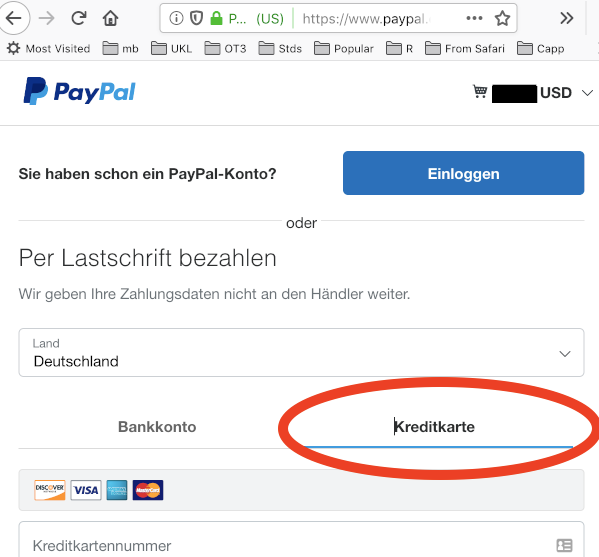
Contact the Director of International Communications o.marmoy@nhs.net for any questions on procedure; contact our Treasurer Prof. Jan Kremers ISCEV.AU@uk-erlangen.de for financial questions. ¹Junior members: please mail (to the Secretary General) a copy of a valid student card or a statement from your Supervisor/Head of Department that your financial status is comparable to other students in your country. Junior membership is limited to 3 years. ²The choice of PayPal is debatable, yes. However, international payment processes have become infernally difficult and so we went with this company, which is one of the only widely accepted payment options for our platform. This was a membership decision at the 2014 Boston Symposium. |
ISCEV Policies
Recording Policy – Membership Decision 2016
ISCEV's policy on photography/filming, as decided by e-ballot in March 2016, is “opt-out” and reads:
“Filming, photography or recording is allowed during all scientific sessions (paper and posters), unless presenters specifically indicate that they do not agree to recording. Use of recorded data is strictly personal and non-commercial. Recording must be non-disruptive.”
Ruth Hamilton & Michael Bach